Prerequisites & Limits
The new account must be in your own name.
Number of bank accounts allowed: [confirm].
Withdrawals to a newly added account are held for [hold time, confirm] before they're sent.
Step-by-Step Navigation
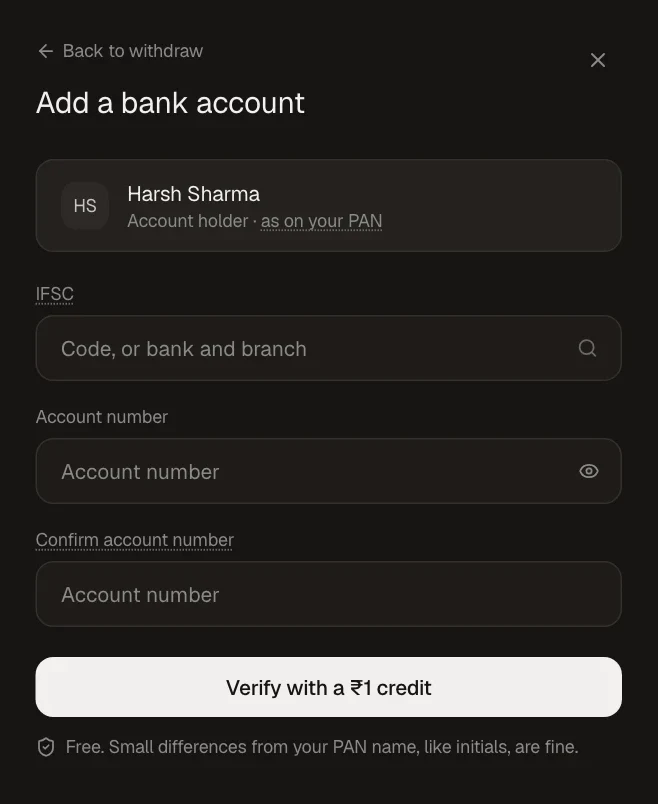
Sign in at mochatrade.com and open Funds → Linked accounts → Add bank account (or Settings → Bank and UPI).
Enter the IFSC and account number, then click Verify with a ₹1 credit.
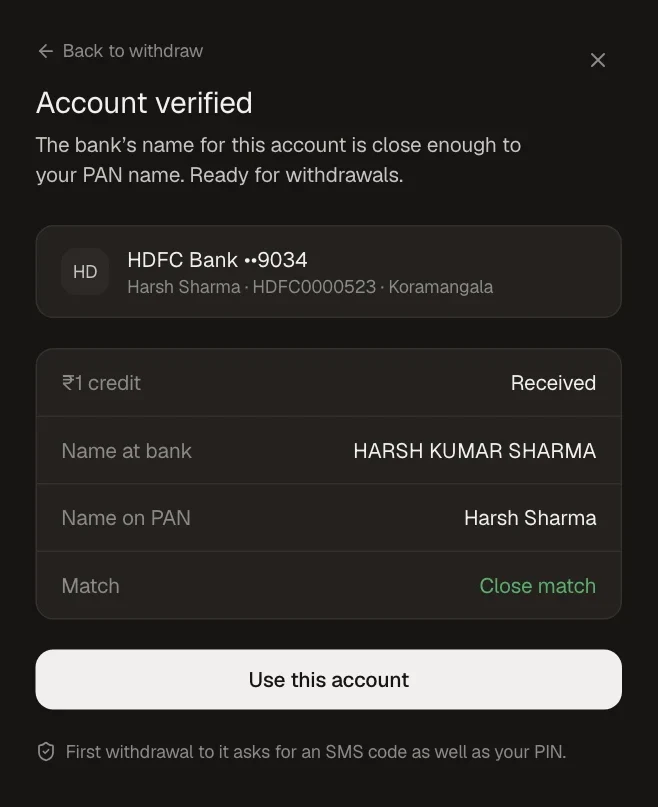
Click Use this account. To remove an old one, click Remove next to it in Settings → Bank and UPI.
Common Failures & Troubleshooting
New account rejected: It's not in your name, or the ₹1 credit failed. Check the details and try again.
Withdrawal shows as scheduled: New accounts have a hold before the first payout. You can cancel any time before it's sent.