Prerequisites & Limits
A device that supports passkeys (most phones and laptops do).
Your 6-digit PIN confirms every withdrawal.
Trusted devices skip the sign-in code for 30 days.
Step-by-Step Navigation
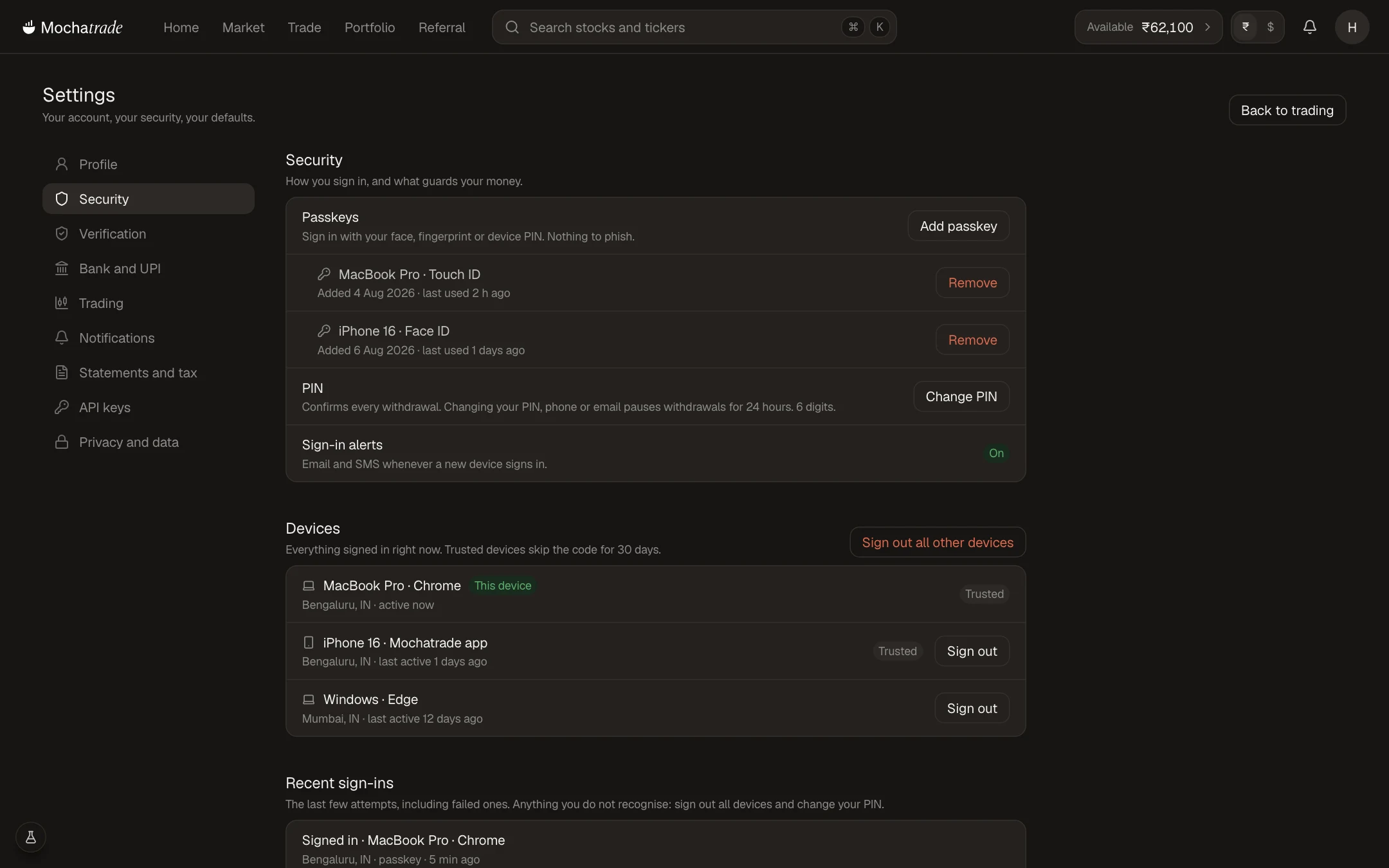
Sign in at mochatrade.com and open Settings → Security.
Under Passkeys, click Add passkey and follow your browser's prompt.
Under PIN, click Change PIN if you want a new one.
Keep Sign-in alerts on to get an email and SMS whenever a new device signs in.
Common Failures & Troubleshooting
Passkey prompt doesn't appear: Your browser or device may not support passkeys. Try another browser, or keep using email codes.
Unknown device in the list: Click Sign out all other devices and change your PIN.