Prerequisites & Limits
Verification completed and a verified bank account in your name.
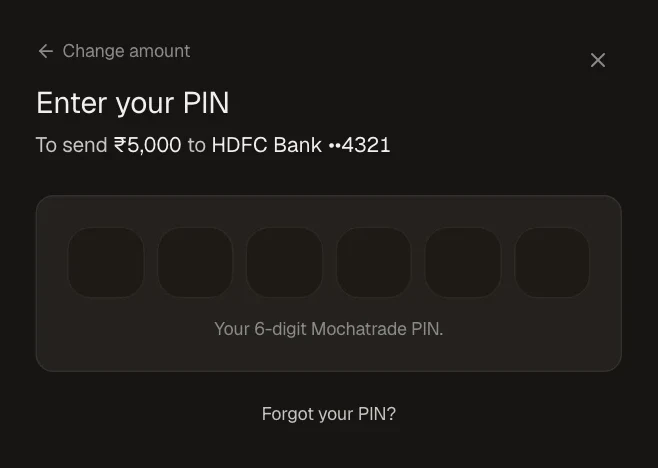
Your 6-digit PIN confirms every withdrawal. The first withdrawal to a new account also asks for an SMS code.
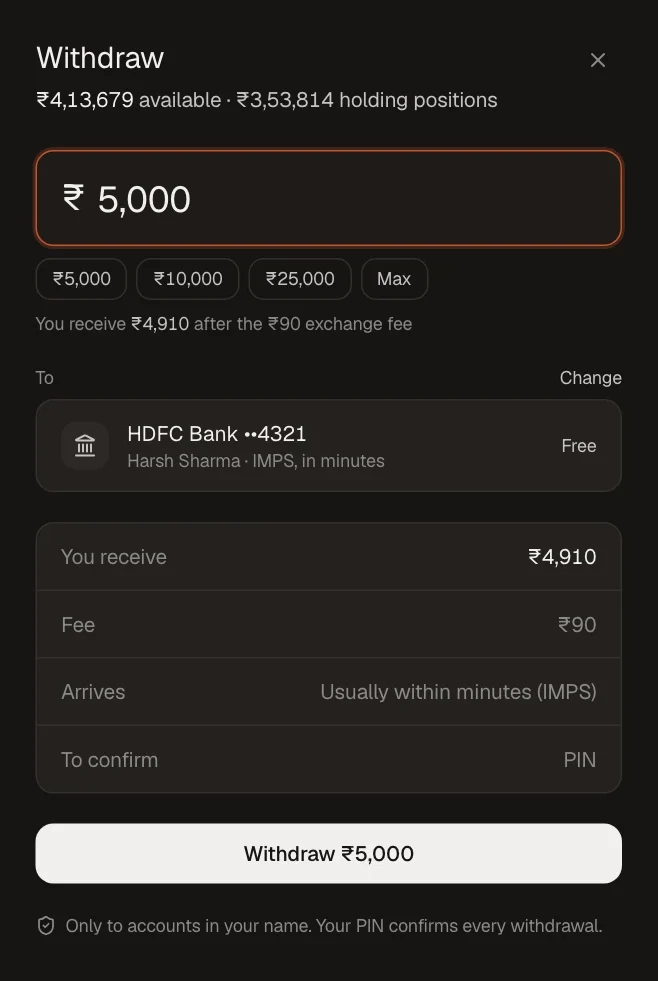
Fee: [withdrawal fee, confirm]; the exact amount you receive is shown before you confirm.
Limits per transaction and per day: [confirm].
Money in open positions can't be withdrawn until those positions close.
Step-by-Step Navigation
Sign in at mochatrade.com and open Funds, then click Withdraw.
Enter the amount, or pick a quick amount or Max.
Check the destination bank account (click Change to pick another), what you receive and the fee.
Click Withdraw and enter your 6-digit PIN.
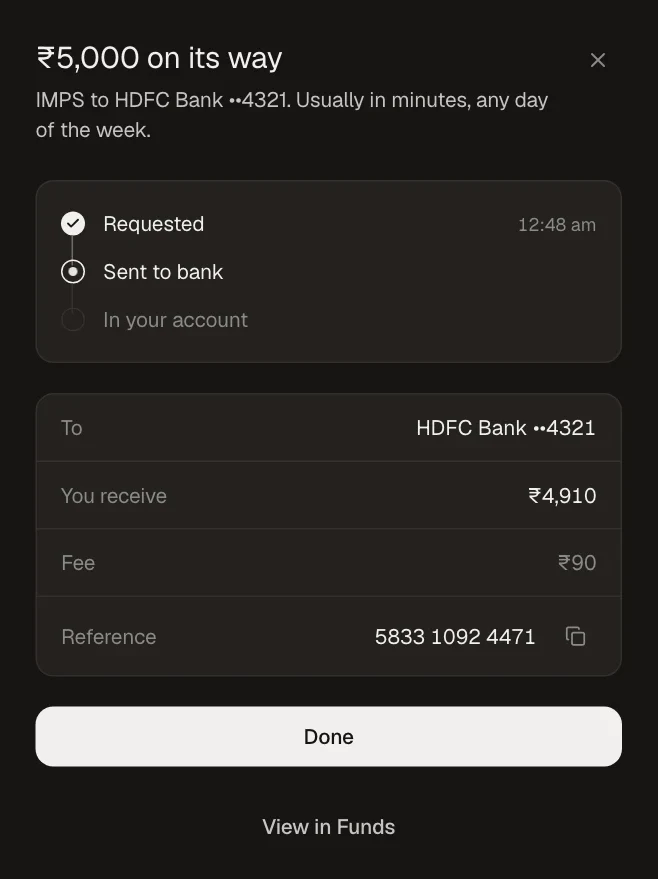
Track it under Funds → Transfers.
Common Failures & Troubleshooting
Available to withdraw is lower than my balance: Part of your balance is in open positions. Close them to free it.
Withdrawal scheduled instead of sent: New accounts, or a recent PIN, phone or email change, add a short hold. You can cancel before it's sent.
Forgot your PIN: Click Forgot your PIN? on the PIN screen.