Prerequisites & Limits
A bank account in your own name, matching your PAN.
Your account number and IFSC.
Withdrawals go only to verified accounts in your name.
Step-by-Step Navigation
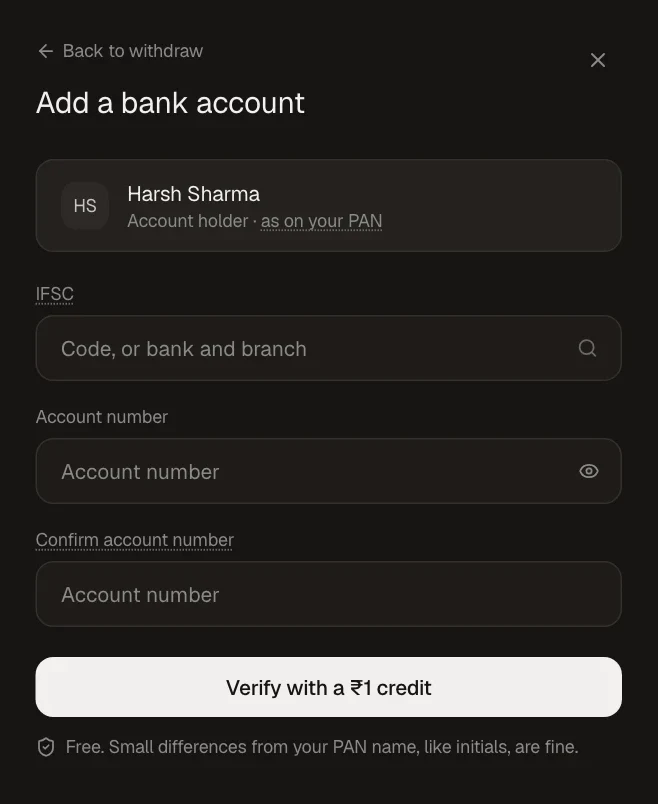
During verification, or from Funds → Linked accounts → Add bank account (also in Settings → Bank and UPI).
Enter the IFSC (or search by bank and branch) and your account number twice.
Click Verify with a ₹1 credit.
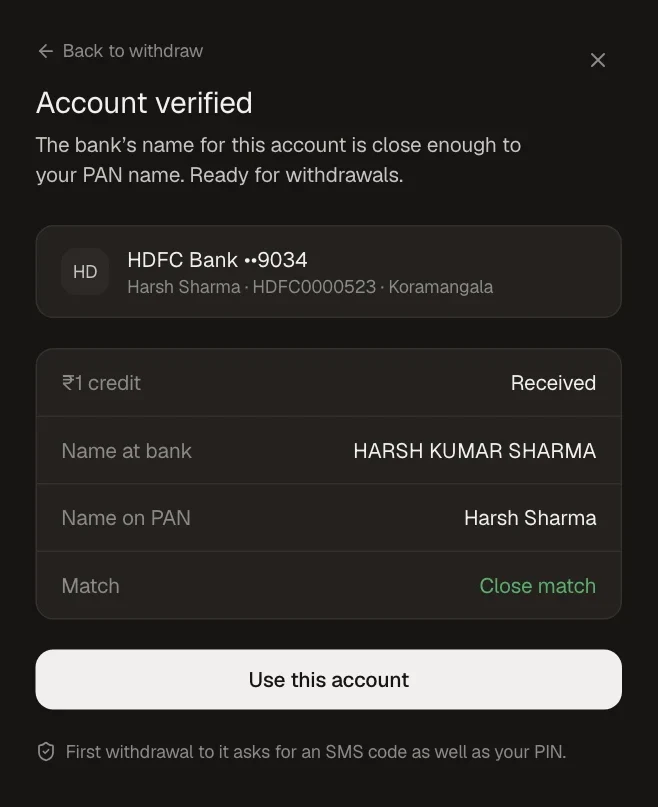
Check the name match and click Use this account.
Common Failures & Troubleshooting
Name mismatch: The name at your bank must match your PAN. Small differences like initials are fine.
Invalid IFSC or account number: Re-check both against your passbook or bank app.
₹1 credit failed: The account may be inactive, closed or frozen. Try another account in your name.