Prerequisites & Limits
Verification completed.
Pay only from a UPI ID linked to your verified bank account.
Minimum deposit: [confirm]. Limits per transaction and per day: [confirm].
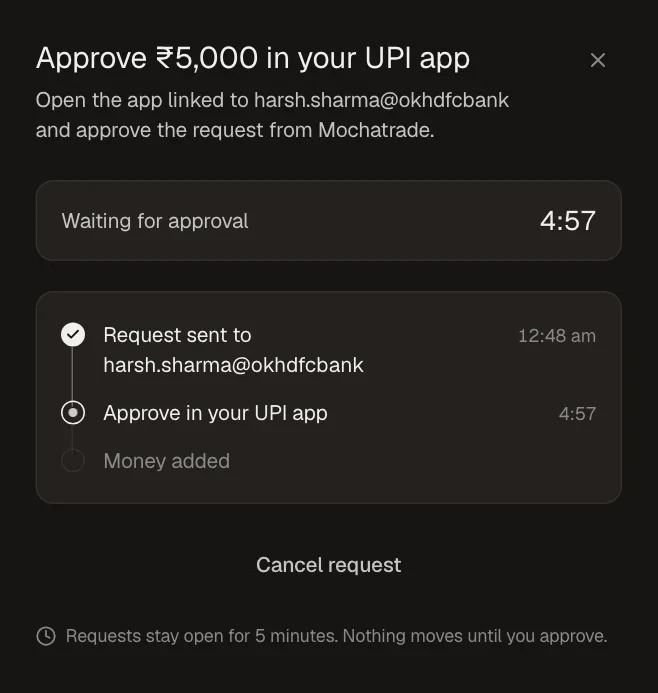
Requests stay open for 5 minutes. Nothing moves until you approve.
Step-by-Step Navigation
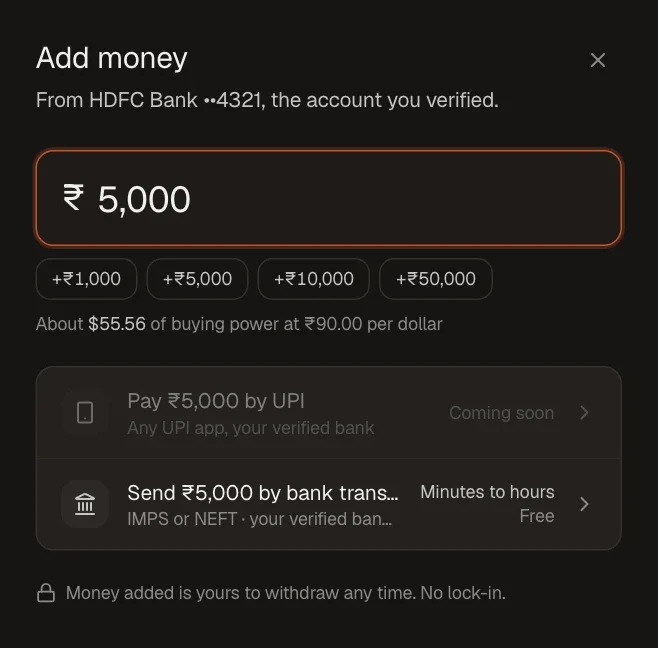
Sign in at mochatrade.com and open Funds, then click Add money.
Enter the amount.
Choose Pay by UPI.
Open your UPI app and approve the request from Mochatrade within 5 minutes.
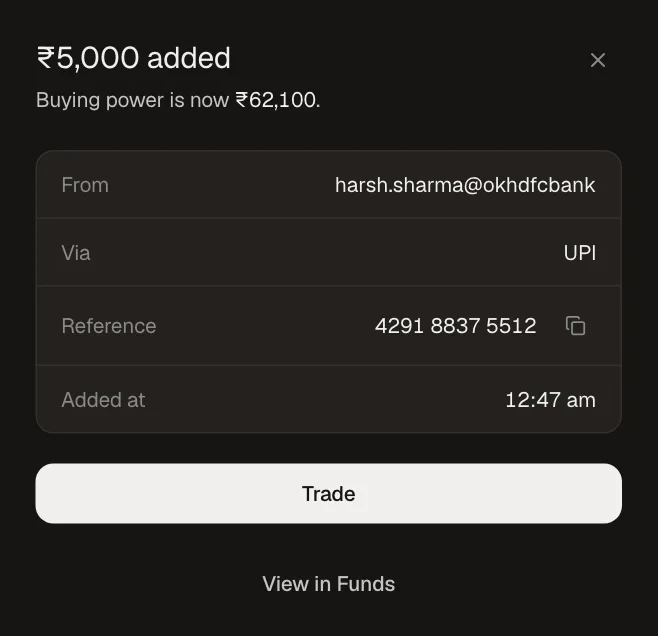
Your buying power updates as soon as the money lands.
Common Failures & Troubleshooting
UPI shows Coming soon: UPI isn't available on your account yet. Use bank transfer (IMPS or NEFT) instead.
Request expired: You didn't approve within 5 minutes. Start a new request.
Paid from someone else's account: Pay only from your own verified bank account.