Prerequisites & Limits
Maximum leverage: up to 50x, depending on the symbol.
Example: at 10x leverage, ₹1,000 of margin controls a ₹10,000 position.
Higher leverage, higher risk: it controls a bigger position with less margin, but losses grow just as fast. Size positions you're comfortable with.
Margin is the amount you set aside to open and maintain a position. Position value is the total size you control.
Isolated margin only: a losing position can't touch your other funds.
Step-by-Step Navigation
Open any contract (Global Futures, Crypto, Indices or Commodities) and enter a trade size.
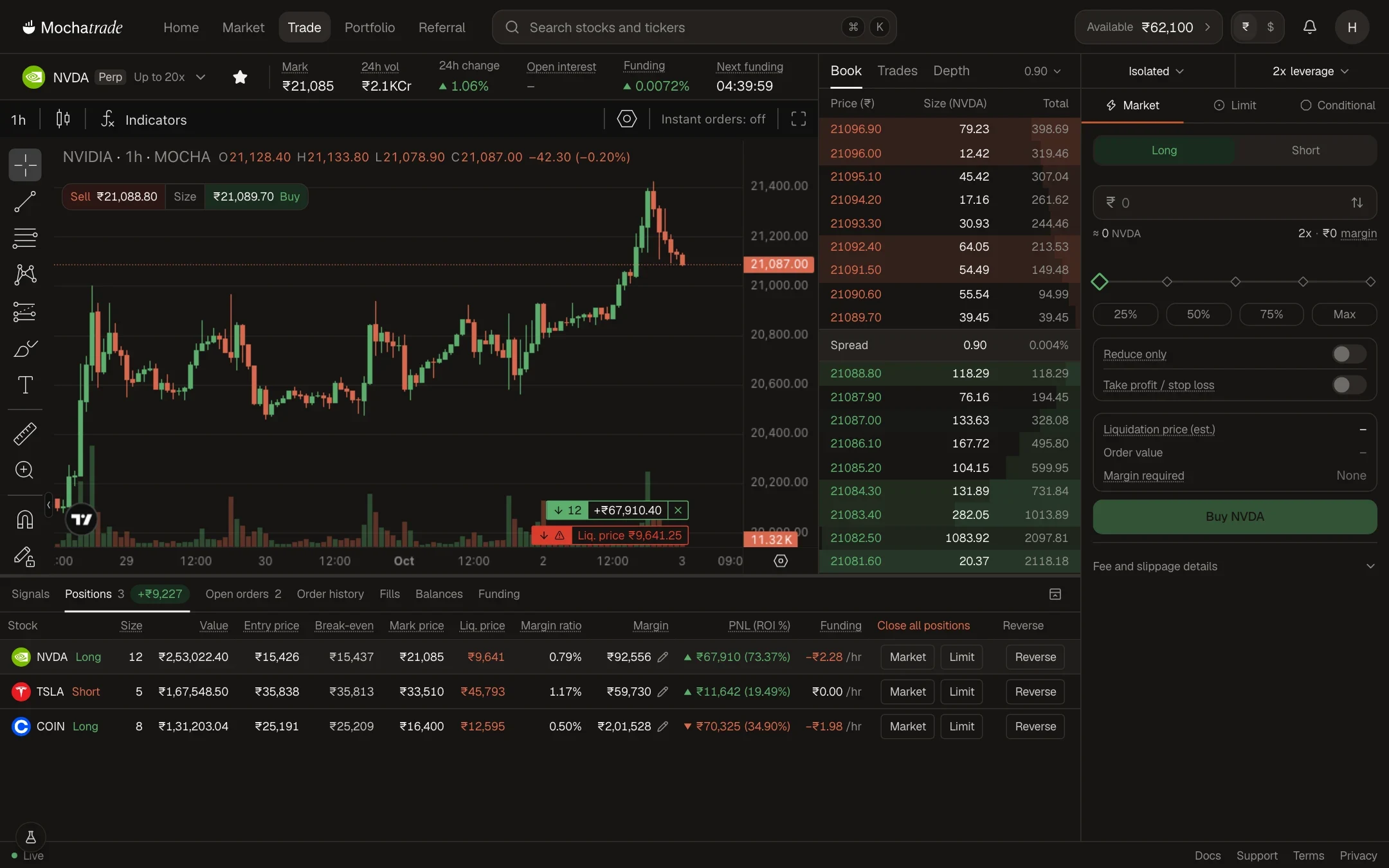
Change the leverage at the top of the order panel and watch the margin required update.
Review the margin required and liquidation price (est.) before you place the order.
Common Failures & Troubleshooting
Leverage slider stops below 50x: Maximum leverage varies by symbol. That contract has a lower cap.
My position is close to liquidation: High leverage puts your liquidation price closer to entry. Add margin or reduce size.