Prerequisites & Limits
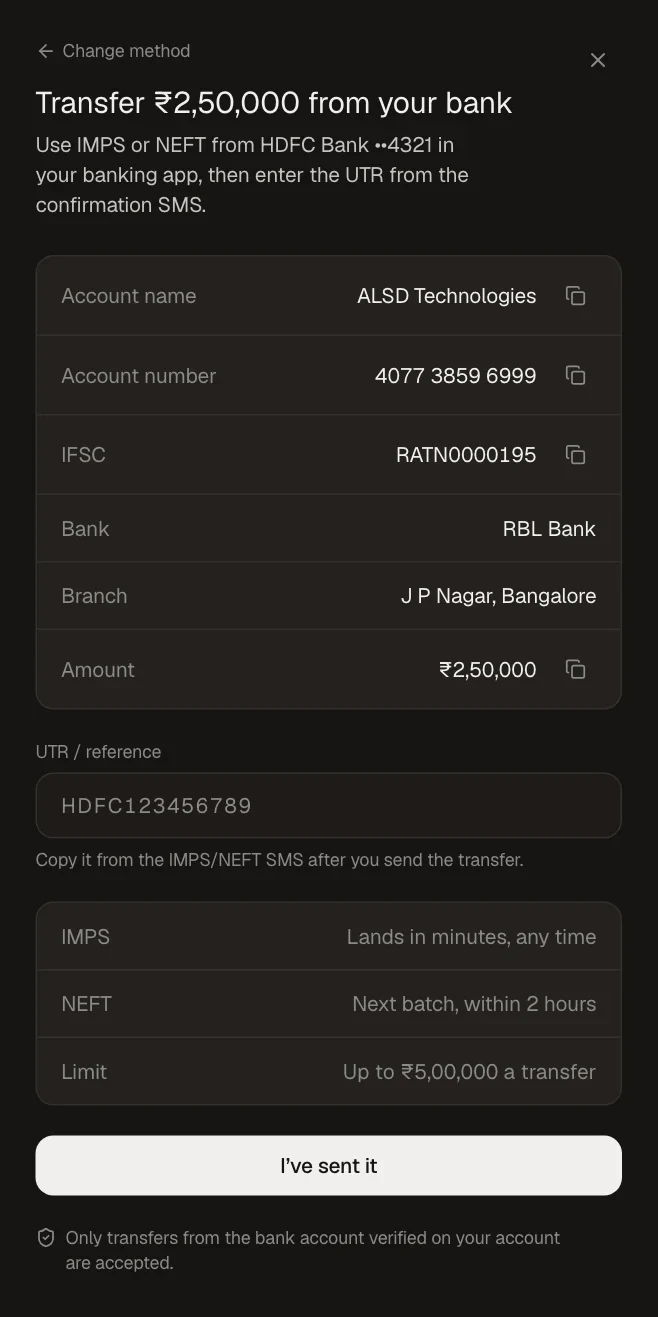
Send only from the bank account verified on your Mocha trade account.
Bank transfers are free. IMPS usually lands in minutes, any time; NEFT in the next batch, within about two hours.
Limit per day: Rs 10,00,000.
Step-by-Step Navigation
Sign in at mochatrade.com and open Funds → Add money.
Enter the amount and choose Send by bank transfer.
In your banking app, send the amount by IMPS or NEFT to the account details shown (account name, number and IFSC).
Enter the UTR / reference from your bank's confirmation SMS.
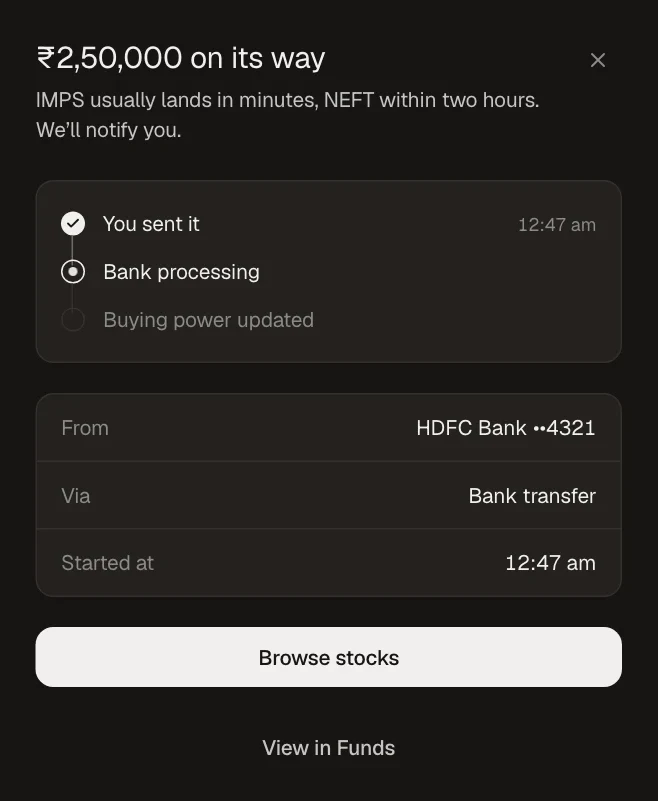
Click I've sent it. We notify you when it lands.
Common Failures & Troubleshooting
UTR not accepted: Check you copied the full UTR, with no spaces, from the right transaction.
Not landed yet: IMPS takes minutes; NEFT can take about two hours. Check its status in Funds → Transfers.
Sent from someone else's account: Only transfers from your verified bank account are accepted.