Prerequisites & Limits
Never share your PIN or a sign-in code with anyone, including someone claiming to be from Mochatrade support.
Step-by-Step Navigation
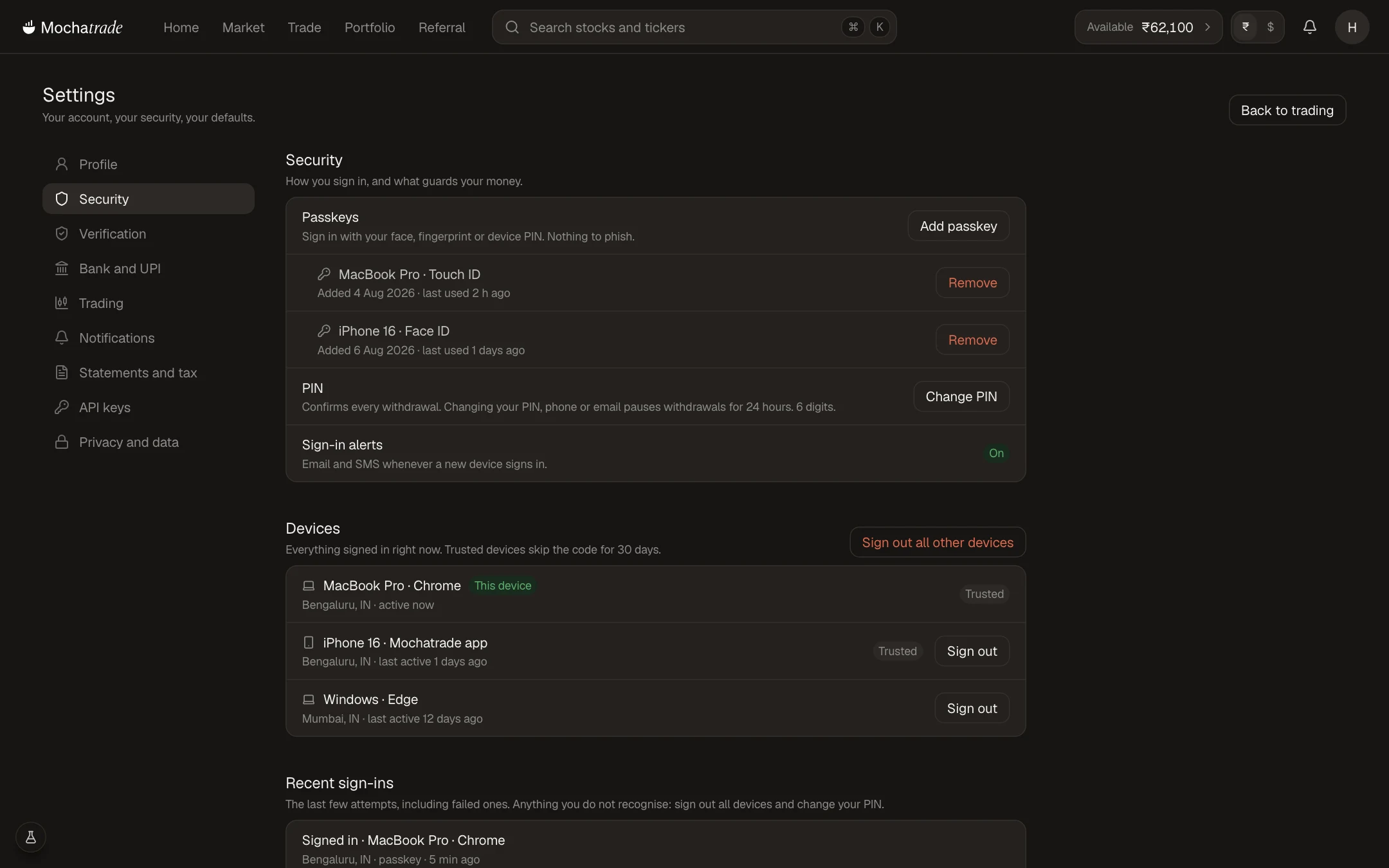
Sign in at mochatrade.com and open Settings → Security.
Check Recent sign-ins and Devices for anything you don't recognise.
Click Sign out all other devices, then Change PIN.
Contact support with the date, time and amount of the suspicious activity.
Common Failures & Troubleshooting
Someone asked me for my code or PIN: It's a scam. Don't share it, and report it to support.
Locked out of my account: Use Trouble signing in? on the sign-in page, then contact support.