Prerequisites & Limits
KYC completed. KYC is required before you can deposit, trade or withdraw.
An available wallet balance. Your wallet balance is used as margin.
Trading fee of 0.05% of position size to open, and another 0.05% to close, in every market.
Step-by-Step Navigation
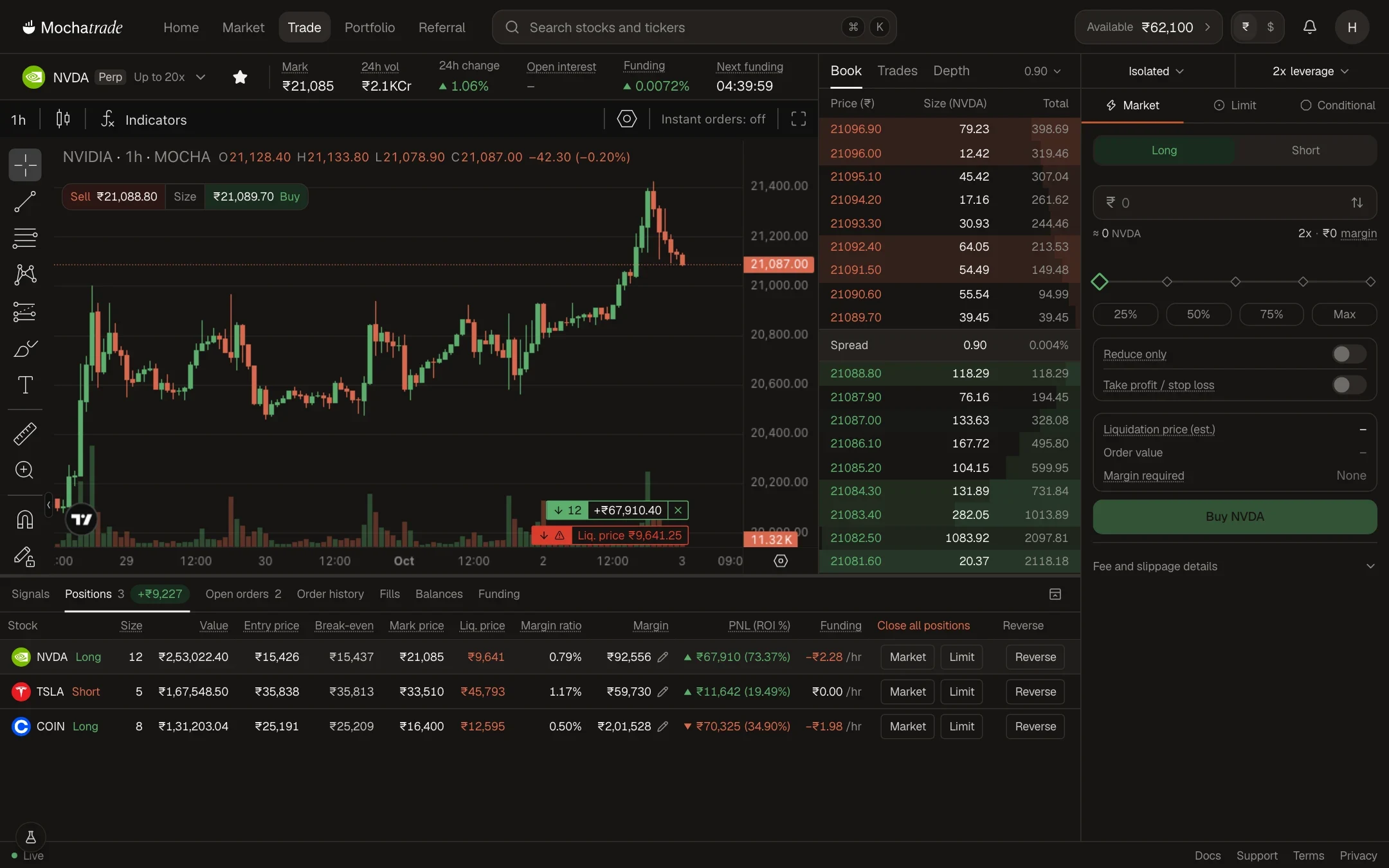
Sign in at mochatrade.com and open Market.
Choose a market (Global Futures, Crypto, Indices or Commodities) and click the contract you want to trade.
Click Long if you expect the price to rise, or Short if you expect it to fall.
Enter your trade size and choose your leverage.
Optionally set a Stop Loss and Take Profit.
Review the margin required and fees, then click Buy (Long) or Sell (Short).
Common Failures & Troubleshooting
Confirm button is disabled or order rejected: You don't have enough available margin. Reduce your size, lower your leverage, or deposit funds.
My fill price is different from what I saw: Prices move between placing and executing an order. Use a Limit order to control your price.